# OpenSCAD Tutorial

## Einleitung

OpenSCAD ist eine freie CAD-Software auf einer textbasierten Programmiersprache mit der 3D-Modelle erzeugt werden. Die Objekte bestehen aus einfachen geometrischen Grundkörpern und werden mit Transformationen und Modifikationen zu einem komplexen 3D-Modell vereinigt. Die Modellierung basiert auf der CSG-Technik (Constructive Solid Geometry). OpenSCAD ist verfügbar für Windows, Linux, OS X, FreeBSD und OpenBSD. Als Dateiformat wird eine einfache Textdatei mit der Endung \*.scad genutzt. Im Gegensatz zu den meisten anderen CAD-Programmen steht hier also ein komplett freies Dateiformat zur Verfügung.

## Installation

Der Download von OpenSCAD steht auf der Webseite http://www.openscad.org/downloads.html zur Verfügung.

## OpenSCAD starten  


Nach dem Start von OpenSCAD wird typischerweise ein dreigeteiltes Fenster angezeigt:

1. Ein einfacher Texteditor für die Bearbeitung des Programms (Eingabe),
2. Ein Bereich für die graphische Ausgabe zum Betrachten des Ergebnisses,
3. Ein Bereich, in dem Fehler- und Statusmeldungen angezeigt werden (Verarbeitung).
4. Ein Bereich für die Konfiguration und Anpassung des Models (Voreingestellt ist der Customizer ausgeblendet).

[![oc.png](https://wiki.oberlab.de/uploads/images/gallery/2025-03/scaled-1680-/fjoLMqTF5FMuPkDB-oc.png)](https://wiki.oberlab.de/uploads/images/gallery/2025-03/fjoLMqTF5FMuPkDB-oc.png)

## Neben der Texteingabe im Editor stehen folgende Programm-Funktionen zur Verfügung  


Im Editor-Bereich (1)

<table class="doFixed" id="bkmrk-interaktion-wirkung-"><thead><tr><td width="150">**Interaktion**</td><td width="300">**Wirkung**</td></tr></thead><tbody><tr><td>F4</td><td>Neu laden und Vorschau</td></tr><tr><td>F5</td><td>Vorschau, Übersetzung (Kompilieren)</td></tr><tr><td>F6</td><td>Rendern, für STL-Export notwendig</td></tr></tbody></table>

Im Grafik-Bereich (2)

<table class="doFixed" id="bkmrk-interaktion-wirkung--1"><thead><tr><td width="150">**Interaktion**</td><td width="300">**Wirkung**</td></tr></thead><tbody><tr><td>Linke Maustaste</td><td>Modell drehen</td></tr><tr><td>Rechte Maustaste</td><td>Modell verschieben</td></tr><tr><td>Mausrad</td><td>Zoomen</td></tr></tbody></table>

## OpenSCAD Befehle

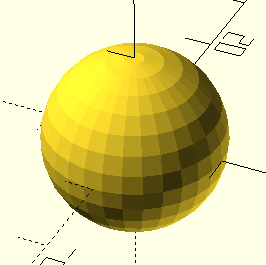
<table border="1" id="bkmrk-eine-kugel-zeichnen-" style="border-collapse: collapse; width: 100%; height: 656.391px;"><colgroup><col style="width: 50.0596%;"></col><col style="width: 50.0596%;"></col></colgroup><tbody><tr style="height: 29.7969px;"><td colspan="2" style="height: 29.7969px;">Eine Kugel zeichnen</td></tr><tr style="height: 218.625px;"><td style="height: 218.625px;">```java
sphere(10);
```

  
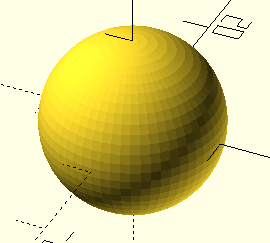
</td><td style="height: 218.625px;">[![oc01.png](https://wiki.oberlab.de/uploads/images/gallery/2025-03/scaled-1680-/RFcuPg88xLDUCaiJ-oc01.png)](https://wiki.oberlab.de/uploads/images/gallery/2025-03/RFcuPg88xLDUCaiJ-oc01.png)</td></tr><tr style="height: 29.7969px;"><td colspan="2" style="height: 29.7969px;">Kugel mit 60 Fragmente</td></tr><tr style="height: 199.391px;"><td style="height: 199.391px;">```java
$fn=60;
sphere(10);
```

  
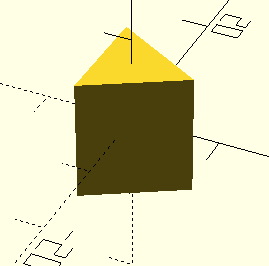
</td><td style="height: 199.391px;">[![oc02.png](https://wiki.oberlab.de/uploads/images/gallery/2025-03/scaled-1680-/jBmEKRCUgLJJtVNE-oc02.png)](https://wiki.oberlab.de/uploads/images/gallery/2025-03/jBmEKRCUgLJJtVNE-oc02.png)</td></tr><tr style="height: 29.7969px;"><td colspan="2" style="height: 29.7969px;">Kugel mit 3 Fragmente</td></tr><tr style="height: 29.7969px;"><td style="height: 29.7969px;">```java
$fn=3;
sphere(10);
```

  
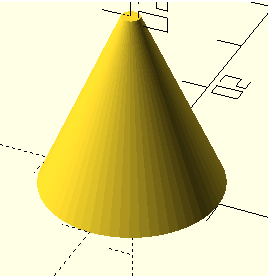
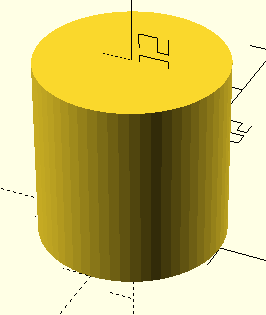
</td><td style="height: 29.7969px;">[![oc03.png](https://wiki.oberlab.de/uploads/images/gallery/2025-03/scaled-1680-/z6La9ifp7ZHSeZQ0-oc03.png)](https://wiki.oberlab.de/uploads/images/gallery/2025-03/z6La9ifp7ZHSeZQ0-oc03.png)</td></tr><tr style="height: 29.7969px;"><td colspan="2" style="height: 29.7969px;">Einen Zylinder zeichnen  
</td></tr><tr style="height: 29.7969px;"><td style="height: 29.7969px;">```java
$fn=60;
cylinder (20,10);
```

  
</td><td style="height: 29.7969px;">[![oc04.png](https://wiki.oberlab.de/uploads/images/gallery/2025-03/scaled-1680-/KKapphijtcKWwqof-oc04.png)](https://wiki.oberlab.de/uploads/images/gallery/2025-03/KKapphijtcKWwqof-oc04.png)</td></tr><tr style="height: 29.7969px;"><td colspan="2" style="height: 29.7969px;">Einen Zylinder zeichnen</td></tr><tr style="height: 29.7969px;"><td style="height: 29.7969px;">```java
$fn=60;
cylinder (20,10,10);
```

  
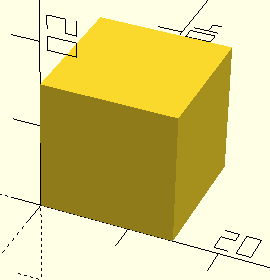
</td><td style="height: 29.7969px;">[![oc05.png](https://wiki.oberlab.de/uploads/images/gallery/2025-03/scaled-1680-/zxP3iIc4N22KvzTY-oc05.png)](https://wiki.oberlab.de/uploads/images/gallery/2025-03/zxP3iIc4N22KvzTY-oc05.png)</td></tr><tr><td colspan="2">Einen Würfel zeichnen</td></tr><tr><td>```java
$fn=60;
cube (15);
```

  
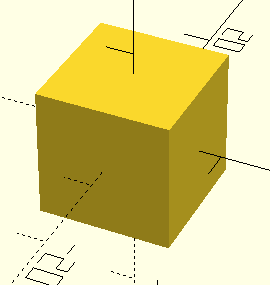
</td><td>[![oc06.png](https://wiki.oberlab.de/uploads/images/gallery/2025-03/scaled-1680-/3aJxSQ8eExB9U3GT-oc06.png)](https://wiki.oberlab.de/uploads/images/gallery/2025-03/3aJxSQ8eExB9U3GT-oc06.png)</td></tr><tr><td colspan="2">Einen Würfel zeichnen</td></tr><tr><td>```java
$fn=60;
cube (15,center=true);
```

  
</td><td>[![oc07.png](https://wiki.oberlab.de/uploads/images/gallery/2025-03/scaled-1680-/vc974cSVDBtTfNhp-oc07.png)](https://wiki.oberlab.de/uploads/images/gallery/2025-03/vc974cSVDBtTfNhp-oc07.png)</td></tr><tr><td colspan="2">Würfel und Kugel addieren</td></tr><tr><td>```java
$fn=60;
cube (15, center=true);
sphere(10);
```

  
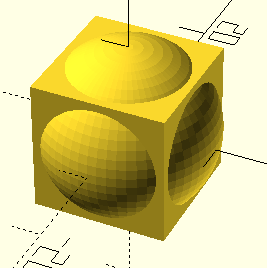
</td><td>[![oc08.png](https://wiki.oberlab.de/uploads/images/gallery/2025-03/scaled-1680-/Y0BP1xNKDw3mWbpQ-oc08.png)](https://wiki.oberlab.de/uploads/images/gallery/2025-03/Y0BP1xNKDw3mWbpQ-oc08.png)</td></tr><tr><td colspan="2">Würfel und Kugel subtrahieren</td></tr><tr><td>```java
$fn=60;
difference(){
cube (15, center=true);
sphere(10);
}
```

  
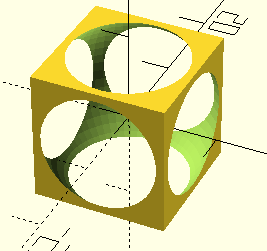
</td><td>[![oc09.png](https://wiki.oberlab.de/uploads/images/gallery/2025-03/scaled-1680-/CNyPnRf781U4EIqo-oc09.png)](https://wiki.oberlab.de/uploads/images/gallery/2025-03/CNyPnRf781U4EIqo-oc09.png)</td></tr><tr><td colspan="2">Kugel, Würfel und Zylinder</td></tr><tr><td>```java
$fn=60;
cube (15, center=true);
sphere(10);
cylinder (20,5,5,center=true);
```

  
</td><td>[![oc10.png](https://wiki.oberlab.de/uploads/images/gallery/2025-03/scaled-1680-/nVz1TKaOBcaw2FD3-oc10.png)](https://wiki.oberlab.de/uploads/images/gallery/2025-03/nVz1TKaOBcaw2FD3-oc10.png)</td></tr><tr><td>Kugel und Würfel addiert, der ist Zylinder subtrahiert</td><td>  
</td></tr><tr><td>```java
$fn=60;
difference(){
union(){
cube (15, center=true);
sphere(10);
}
cylinder (20,5,5,center=true);
}
```

  
</td><td>[![oc11.png](https://wiki.oberlab.de/uploads/images/gallery/2025-03/scaled-1680-/SrSXQGiNlaLD372a-oc11.png)](https://wiki.oberlab.de/uploads/images/gallery/2025-03/SrSXQGiNlaLD372a-oc11.png)</td></tr><tr><td>Dm als Durchmesser-Variable</td><td>  
</td></tr><tr><td>```java
$fn=60;
Dm =3;
difference(){
union(){
cube (15, center=true);
sphere(10);
}
cylinder (20,Dm,Dm,center=true);
}
```

  
</td><td>[![oc12.png](https://wiki.oberlab.de/uploads/images/gallery/2025-03/scaled-1680-/YflfKi92Xt2U52pr-oc12.png)](https://wiki.oberlab.de/uploads/images/gallery/2025-03/YflfKi92Xt2U52pr-oc12.png)</td></tr><tr><td>Eine zweite Kugel hinzugügen</td><td>  
</td></tr><tr><td>```java
$fn=60;
Dm =3;
difference(){
union(){
cube (15, center=true);
sphere(10);
}
cylinder (20,Dm,Dm,center=true);
}
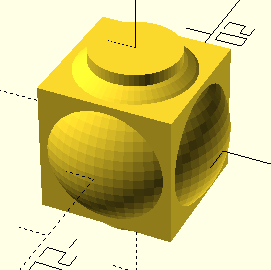
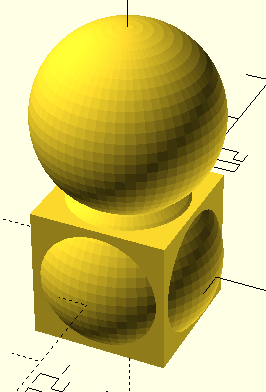
translate ([0,0,17])
sphere(10);
```

  
</td><td>[![oc13.png](https://wiki.oberlab.de/uploads/images/gallery/2025-03/scaled-1680-/vFyM74I3Nlf7awQZ-oc13.png)](https://wiki.oberlab.de/uploads/images/gallery/2025-03/vFyM74I3Nlf7awQZ-oc13.png)</td></tr><tr><td>Die zweite Kugel subtrahieren</td><td>  
</td></tr><tr><td>```java
$fn=60;
Dm =3;
difference(){
union(){
cube (15, center=true);
sphere(10);
}
cylinder (20,Dm,Dm,center=true);
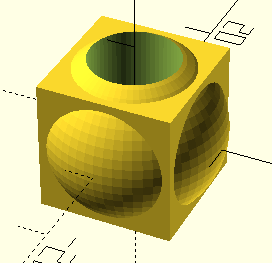
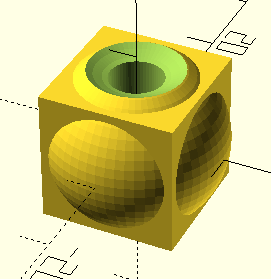
translate ([0,0,17])
sphere(10);
}
```

  
</td><td>[![oc14.png](https://wiki.oberlab.de/uploads/images/gallery/2025-03/scaled-1680-/Vf0x8SKP9p9n8B5S-oc14.png)](https://wiki.oberlab.de/uploads/images/gallery/2025-03/Vf0x8SKP9p9n8B5S-oc14.png)</td></tr><tr><td>Mit rotate einen zweiten Durchbruch erzeugen</td><td>  
</td></tr><tr><td>```java
$fn=60;
Dm =3;
difference(){
union(){
cube (15, center=true);
sphere(10);
}
cylinder (20,Dm,Dm,center=true);
translate ([0,0,17])
sphere(10);
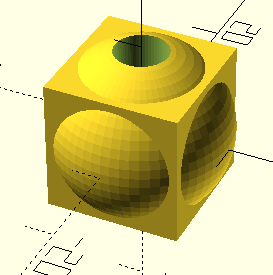
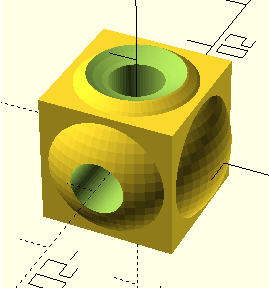
rotate([90, 0, 0])
cylinder (20,Dm,Dm,center=true);
}
```

  
</td><td>[![oc15.png](https://wiki.oberlab.de/uploads/images/gallery/2025-03/scaled-1680-/1432rdvgHE7piisR-oc15.png)](https://wiki.oberlab.de/uploads/images/gallery/2025-03/1432rdvgHE7piisR-oc15.png)</td></tr></tbody></table>