# Robotik
# Greifarm / Robo-Arm
mit Schrittmotore und Servomotore
[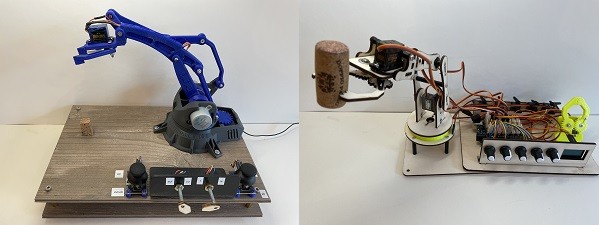](https://wiki.oberlab.de/uploads/images/gallery/2024-02/dVxjxXQRDoILHIW7-greifarm.jpg)
[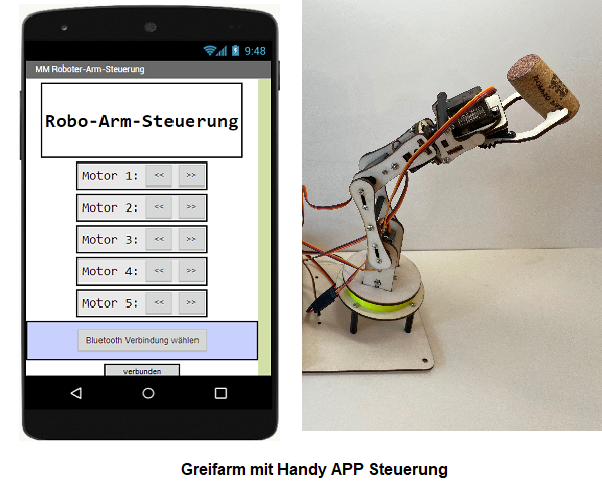](https://wiki.oberlab.de/uploads/images/gallery/2024-02/kunqG8jl5O40yx2t-roboapp.png)
**Greifer**
[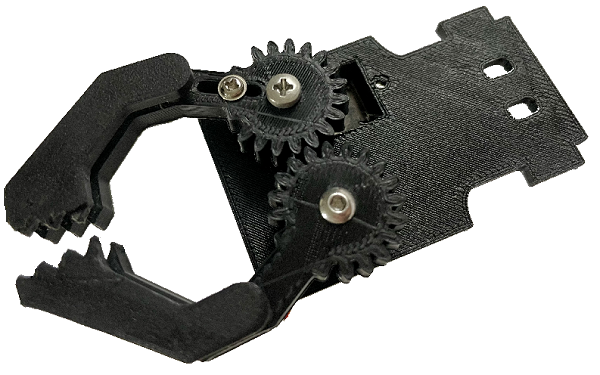](https://wiki.oberlab.de/uploads/images/gallery/2024-02/RQnmwEMm7YTRh697-roboarm1.png)
**Robo Arm**
[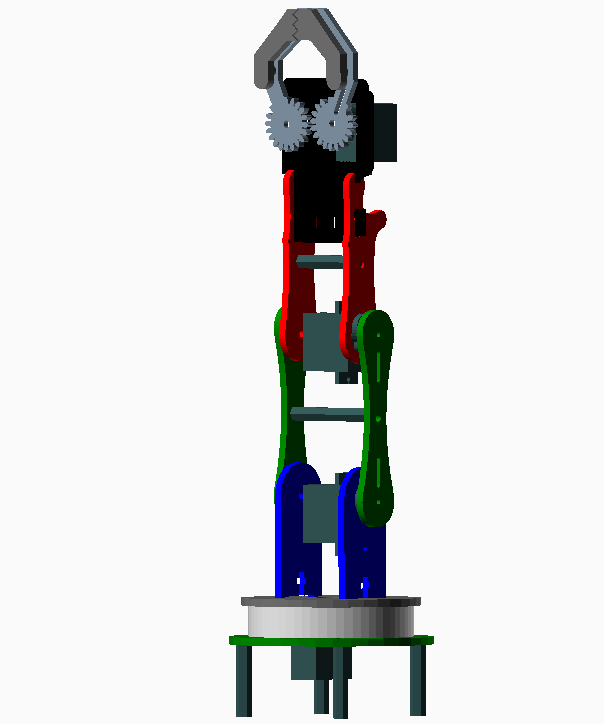](https://wiki.oberlab.de/uploads/images/gallery/2024-02/Y1wB0TAWJ4qCknvs-roboarm2.png)
## Montage Anleitung
### Einleitung
Diese Anleitung beschreibt den Aufbau eines Robo Arm aus 3mm Sperrholz mit einem Arduino NANO. Die Gelenke der Greifarme werden mit Servo-Motore angetrieben, die Ansteuerung erfolgt über einen Arduino NANO und vier Potis. Optional ist eine Ansteuerung über eine APP und die Drehwinkelanzeige mit einen OLED-Display möglich.
### Stückliste
Das benötigen wir für den Robo Arm:
- 1 x Sperrholzplatte 3mm x 600x300
- 4 x Digital Servo mg996r Metallgetriebe
- 1 x Arduino NANO
- 1 x NANO Shield
- 4 x Potis 10k
- 1 x 50cm Litze
- 4 x Platinenstecker 3pol
- 1 x Steckenetzteil 5V, alternativ: 1x18650 Akku mit Case
- 5 x M2 x 10 Schrauben
- 5 x M2 Mutter
- 4 x M2,5 x 10 Schrauben
- 12 x M3 x 10 Schrauben
- 1 x M3 x 20 Schraube
- 5 x M3 Mutter
- 5 x M3 Mutter selbstsichernd
- 1 x M3 x 30 Abstandshalter
- 1 x M3 x 40 Abstanshalter
### Robo Arm Montage - Gesamtansicht
[](https://wiki.oberlab.de/uploads/images/gallery/2024-02/Y1wB0TAWJ4qCknvs-roboarm2.png)
### Drehteller Montage
###
[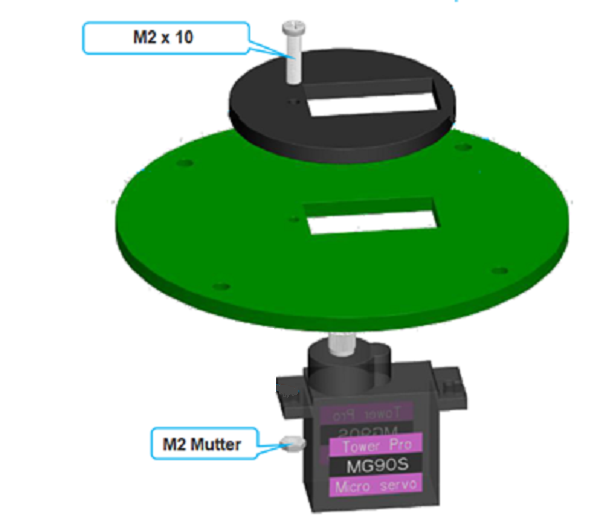](https://wiki.oberlab.de/uploads/images/gallery/2024-02/VulcYfyrPAMEwtfP-04greifarm.png)
[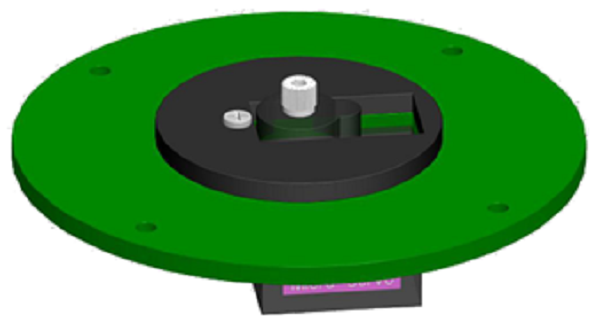](https://wiki.oberlab.de/uploads/images/gallery/2024-02/sm9SpSzdzM57mM3U-05greifarm.png)
Axiallager Montage
###
[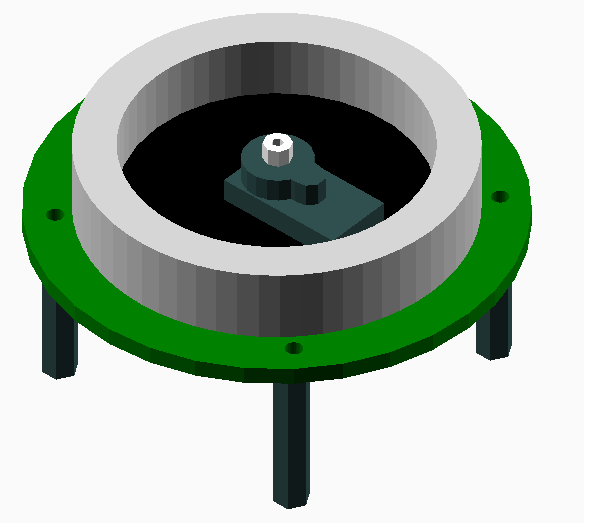](https://wiki.oberlab.de/uploads/images/gallery/2024-02/J6cGNepjdOE4iZQH-03greifarm.png)
Gelenkarm Montage
[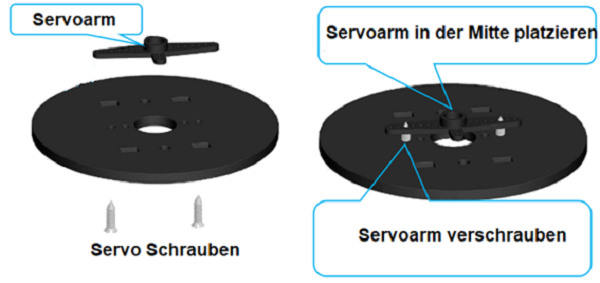](https://wiki.oberlab.de/uploads/images/gallery/2024-02/McK0UiApQrVzlLE8-08greifarm.png)
[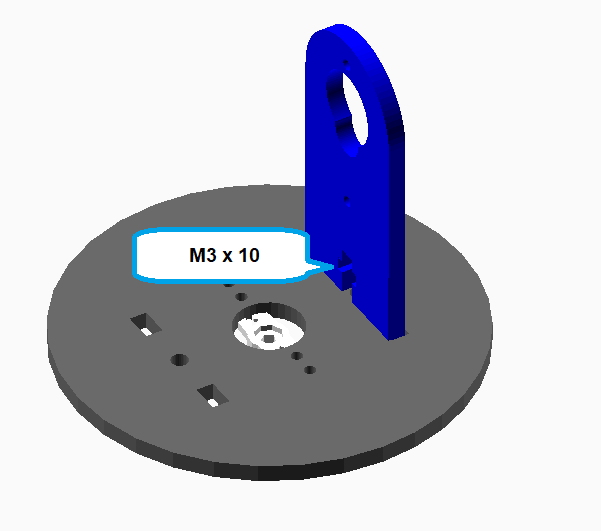](https://wiki.oberlab.de/uploads/images/gallery/2024-02/vkA21lrcHjpav2vx-07greifarm.png)
[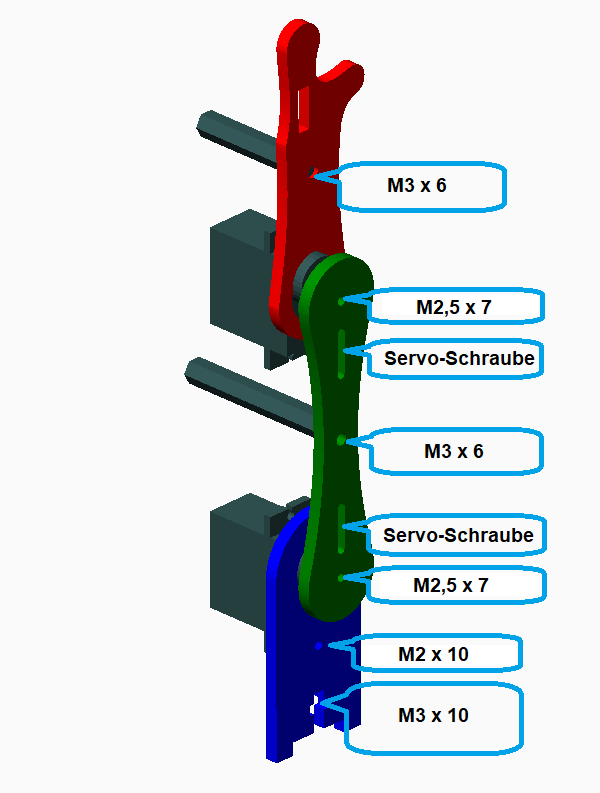](https://wiki.oberlab.de/uploads/images/gallery/2024-02/te4lNOmDNVHiA1IK-14greifarm.png)
[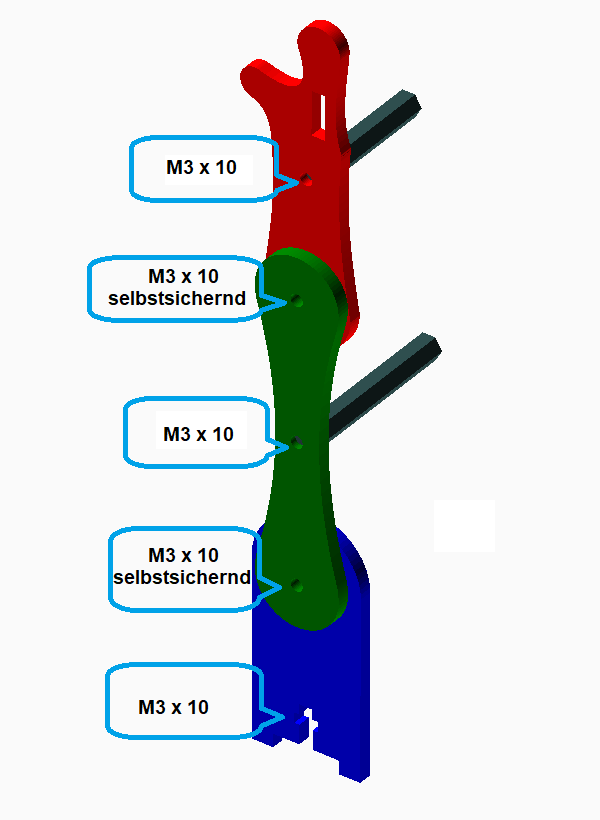](https://wiki.oberlab.de/uploads/images/gallery/2024-02/O0APJ6l9dCKmVlz0-21greifarm.png)
[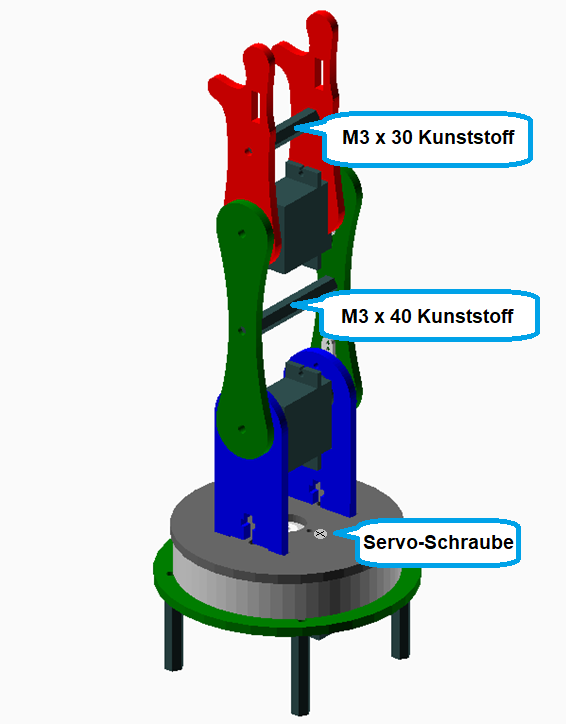](https://wiki.oberlab.de/uploads/images/gallery/2024-02/A8Ex3ttIuq0RsStJ-22greifarm.png)
### Greifer Montage
[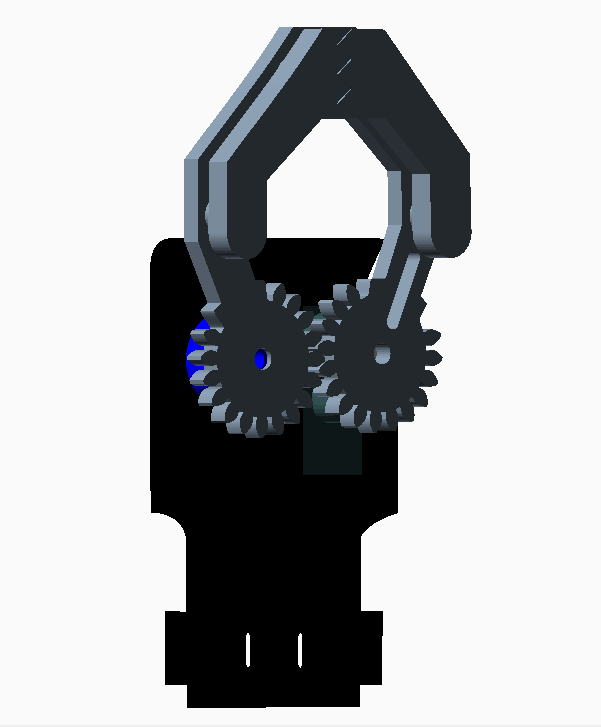](https://wiki.oberlab.de/uploads/images/gallery/2024-02/WPfQalxmC7BEGIY4-10greifarm.png)
[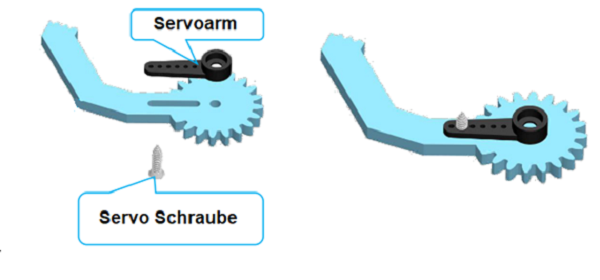](https://wiki.oberlab.de/uploads/images/gallery/2024-02/MBTn22L2wxMTzI80-11greifarm.png)
[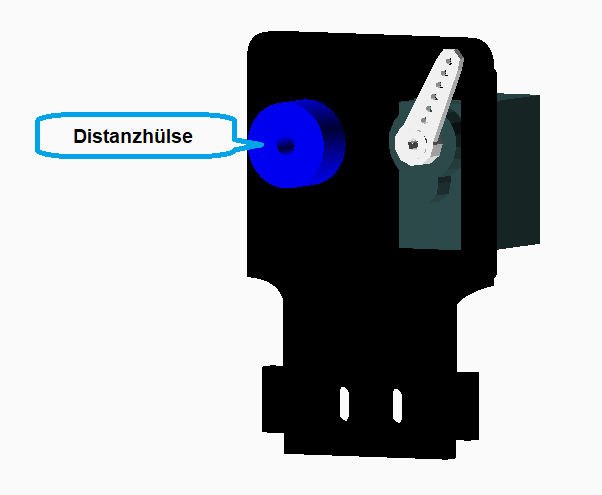](https://wiki.oberlab.de/uploads/images/gallery/2024-02/Ti7xBuLJVQEEKhpx-12greifarm.png)
[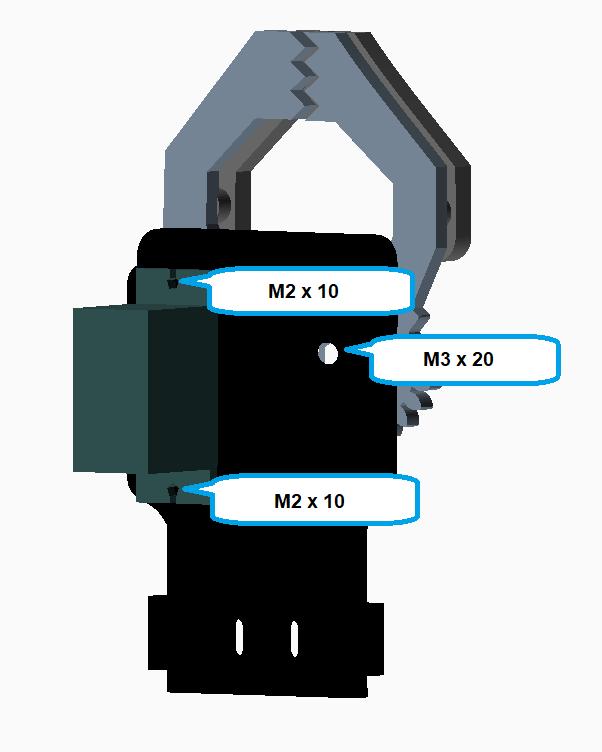](https://wiki.oberlab.de/uploads/images/gallery/2024-02/ZvsXJJlvHgCPlZ3Z-13greifarm.png)[](https://wiki.oberlab.de/uploads/images/gallery/2024-02/ZvsXJJlvHgCPlZ3Z-13greifarm.png)
[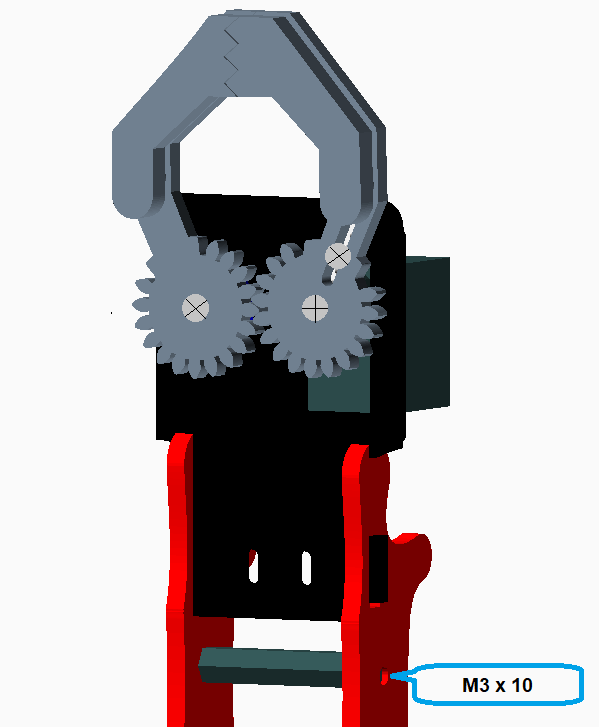](https://wiki.oberlab.de/uploads/images/gallery/2024-02/VB0bzUuCEqhknBQ7-23greifarm.png)
[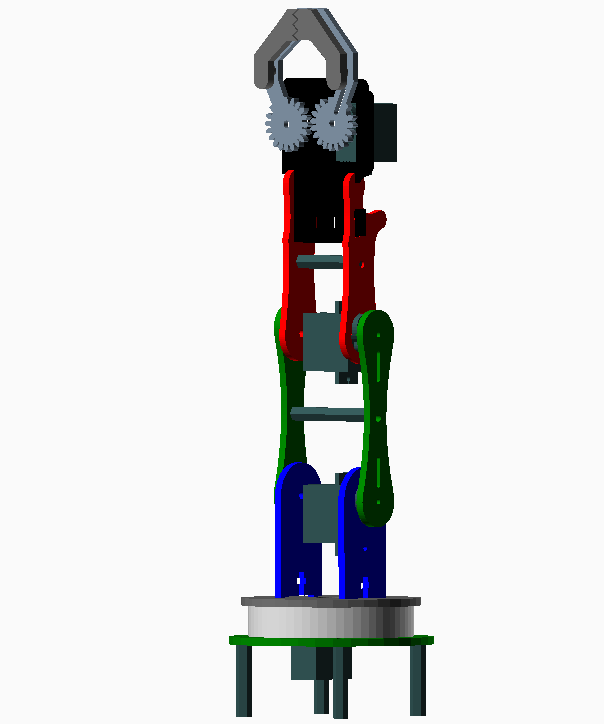](https://wiki.oberlab.de/uploads/images/gallery/2024-02/lT3YEMd9leBl0AT1-01greifarm.png)
## Fertig!
# Robi
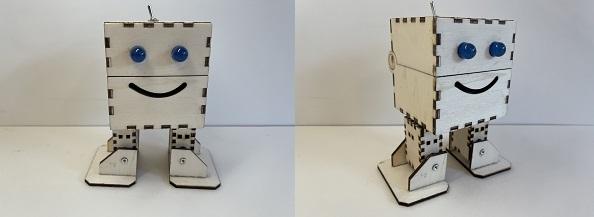
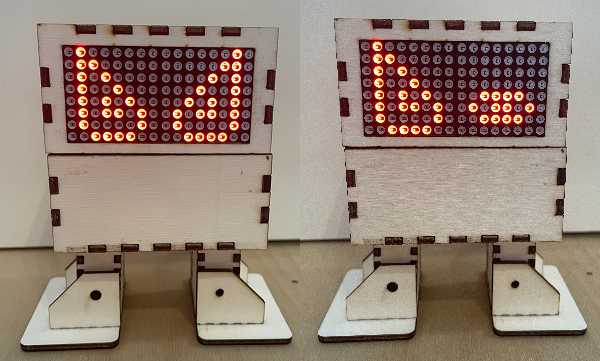
Baue einen Roboter, lerne ihn laufen und
[](https://wiki.oberlab.de/uploads/images/gallery/2026-06/KbGvX5vp08WCphOF-robi.jpg)
[](https://wiki.oberlab.de/uploads/images/gallery/2026-06/FoYxPJp1ckOHnKkH-robiv2.png)
entwerfe dein eigenes Design
[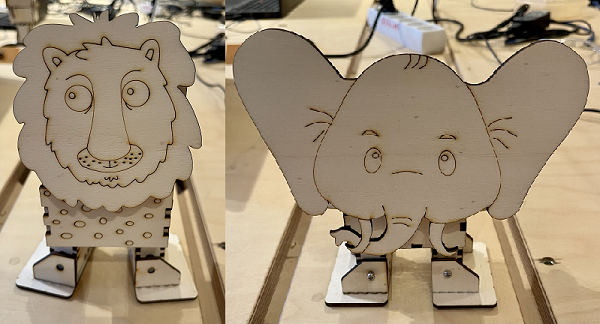](https://wiki.oberlab.de/uploads/images/gallery/2026-06/lTw5C3DznU0ceMR0-robielefant.png)
[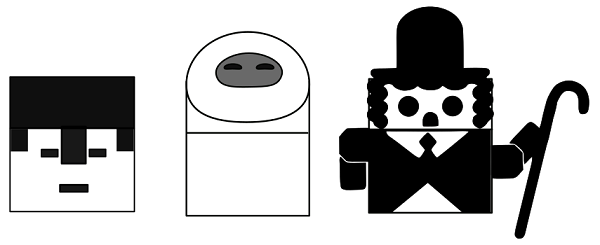](https://wiki.oberlab.de/uploads/images/gallery/2026-06/6Okdt0sl4pOuzac9-robidesign3.png) [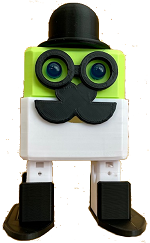](https://wiki.oberlab.de/uploads/images/gallery/2026-06/eR11mwUfwM0FTbEP-charley1.png)
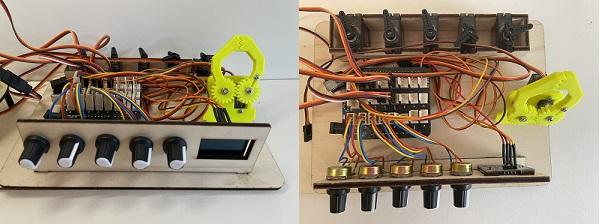
# Robotik kennenlernen
Komponenten, Ansteuerung, Programmierung
[](https://wiki.oberlab.de/uploads/images/gallery/2026-06/i5YgUHHTWfgh1WEy-testplatine.jpg)
# Hubsi, Egone und Johnny
Kleine Bots mit Getriebemotor
[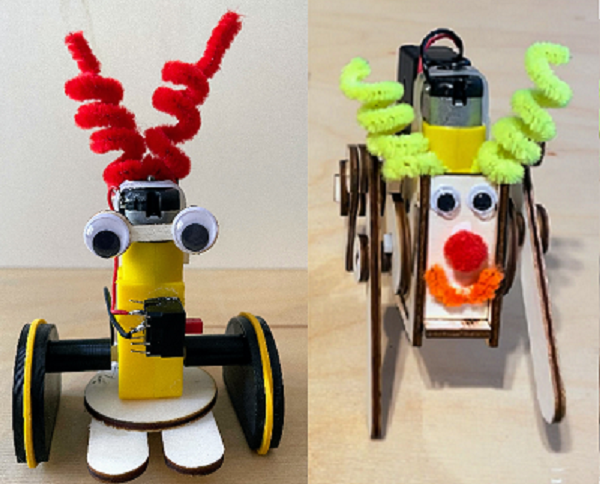](https://wiki.oberlab.de/uploads/images/gallery/2026-06/UWPIuHdpCFEJyzZh-hubsi.png)
[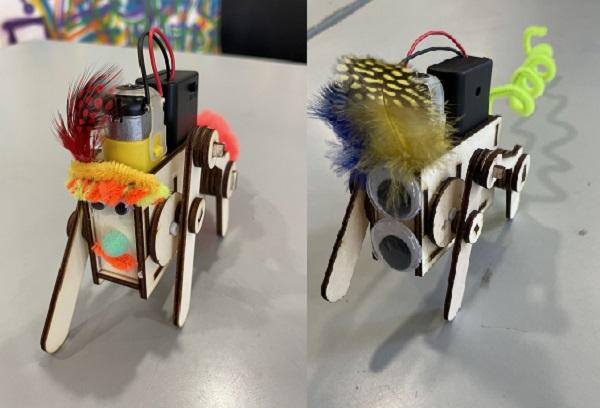](https://wiki.oberlab.de/uploads/images/gallery/2026-06/tIlUFHwhGEuKKsBB-egone-bt.jpg)
[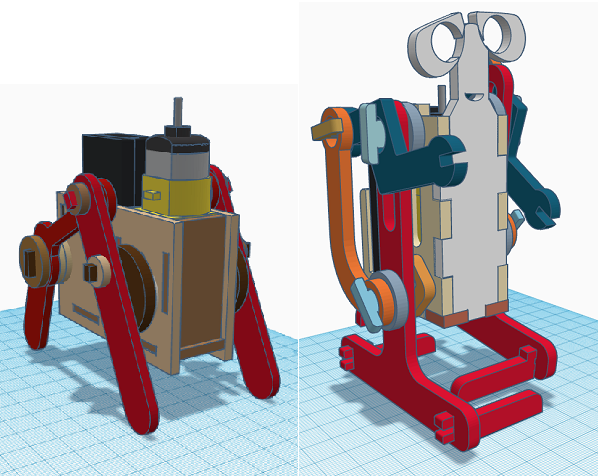](https://wiki.oberlab.de/uploads/images/gallery/2026-06/N4WuIXI4nhuqTBSy-johnny.png)
# ESP32 Cam
Mit Drehteller und micro:bit Steuerung
[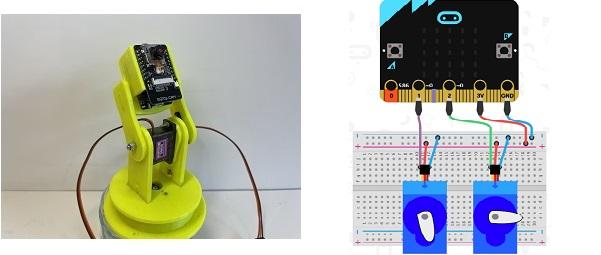](https://wiki.oberlab.de/uploads/images/gallery/2026-06/YGhogN4UijgMrOAc-cam.jpg)