# Microcontroller
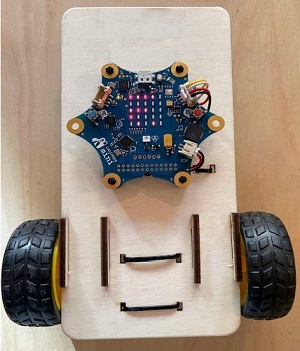
#### Calliope
remote controlled
[](https://wiki.oberlab.de/uploads/images/gallery/2026-06/rYUNOYNn9dANeXrw-calliop4b.png) [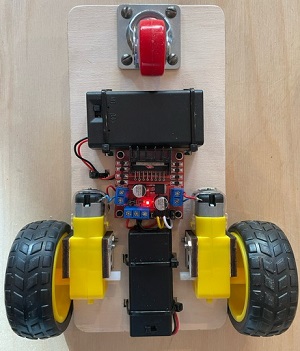](https://wiki.oberlab.de/uploads/images/gallery/2026-06/ahE3tBFYM56JrRr7-calliope4c.png)
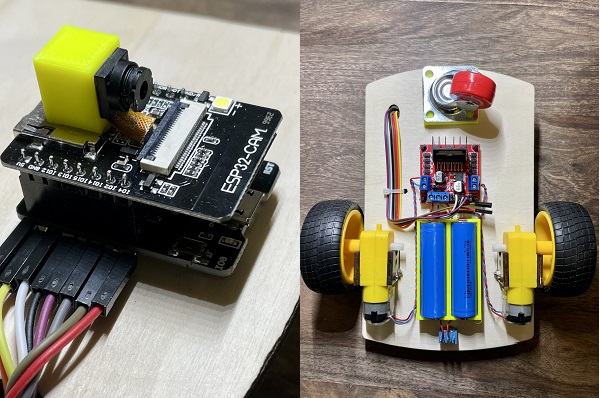
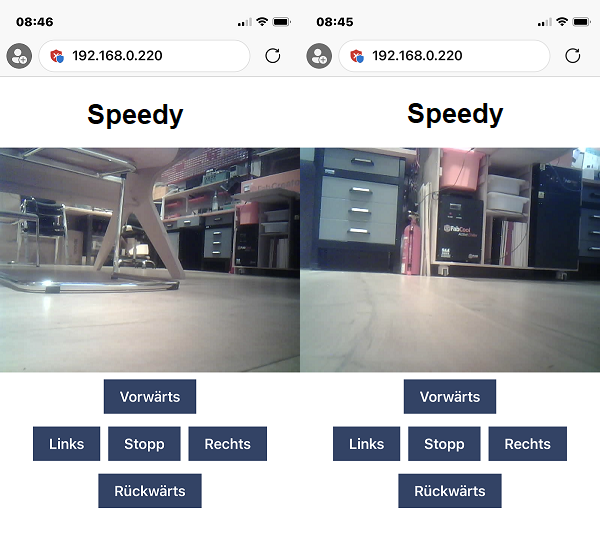
#### Speedy Cam-Car
Mit WEB-CAM und Handy-Steuerung
[CamCar Anleitung](https://wiki.oberlab.de/books/makers-monday-tutorials/page/camcar-anleitung "CamCar Anleitung")
[](https://wiki.oberlab.de/uploads/images/gallery/2026-06/5nn24IXXGNKoZUbQ-camcar6.png)
[](https://wiki.oberlab.de/uploads/images/gallery/2026-06/eXP4XUJzXBJGnCwy-camcar12.png)
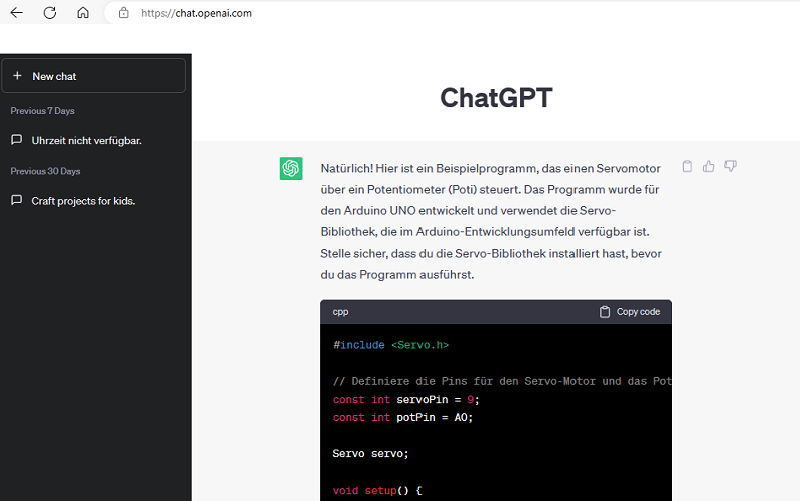
#### Programme erstellen mit Hilfe von ChatGPT
und mit Tinkercad simulieren
[](https://wiki.oberlab.de/uploads/images/gallery/2026-06/c9TTYGJ5Xf7x9rMe-mmgcpt0.png)
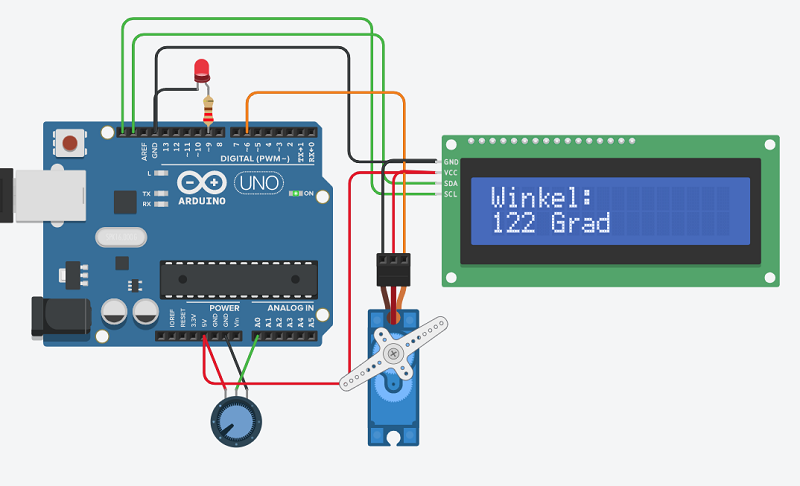
#### Servo-Motor, Poti und LCD-Display
[](https://wiki.oberlab.de/uploads/images/gallery/2026-06/jZ4aMpwqWQLuJTSQ-mmgcpt.png)
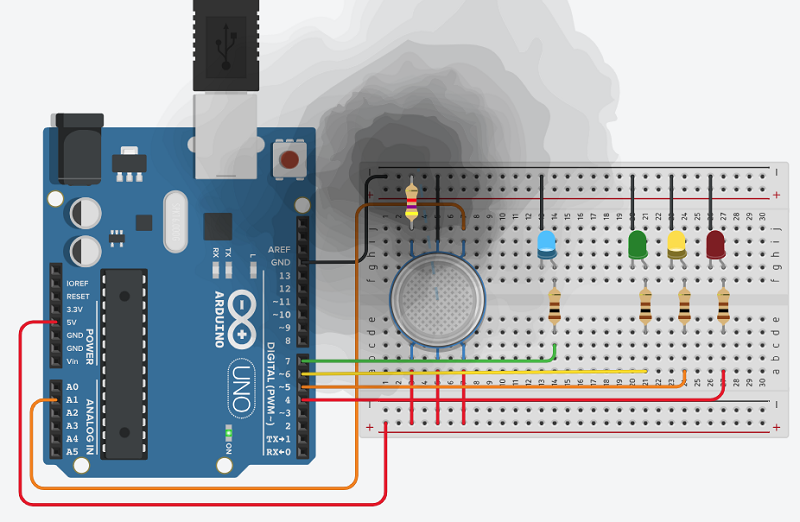
#### Gas-Sensor und LED-Ampel
[](https://wiki.oberlab.de/uploads/images/gallery/2026-06/3HwKbYjXHxzKC0tl-mmcgptgas.png)
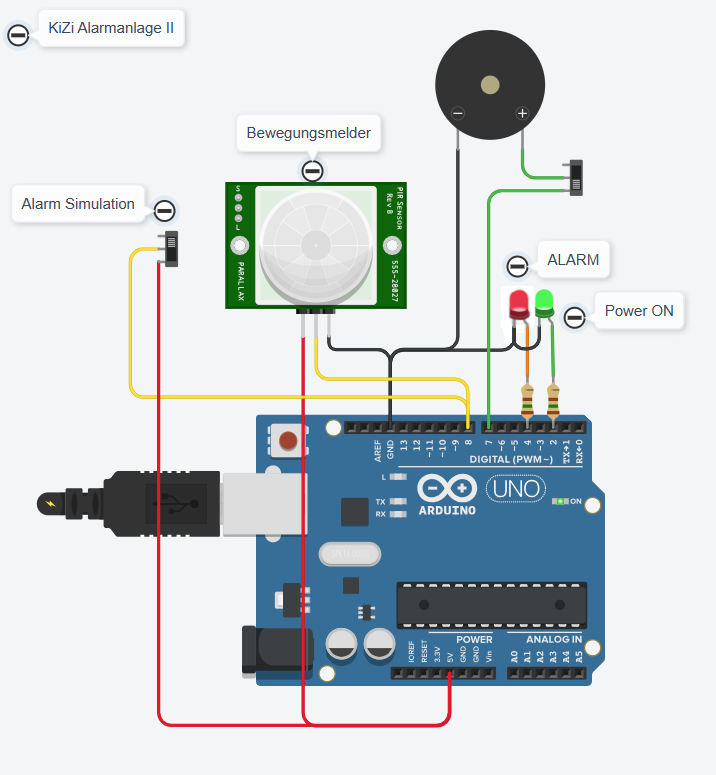
#### Kinderzimmer Alarmanlage
[](https://wiki.oberlab.de/uploads/images/gallery/2026-06/KAWvZhzDSmSxU9Fq-kizialarm2-aufbau.png)
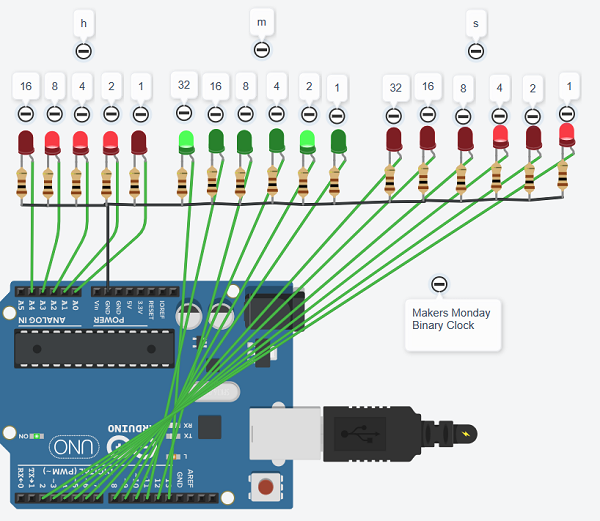
#### Binary Clock
[](https://wiki.oberlab.de/uploads/images/gallery/2026-06/nwSmrBktOjLJBejO-binaryclock.png)
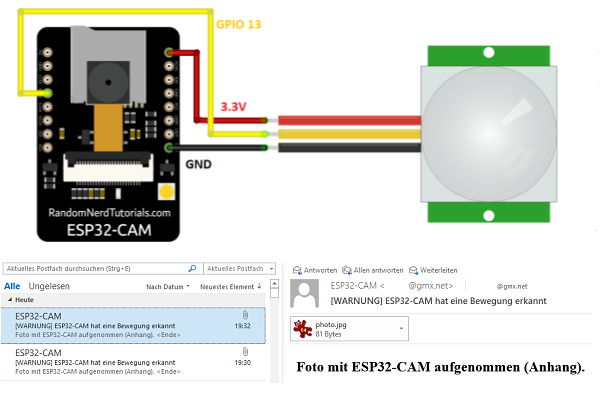
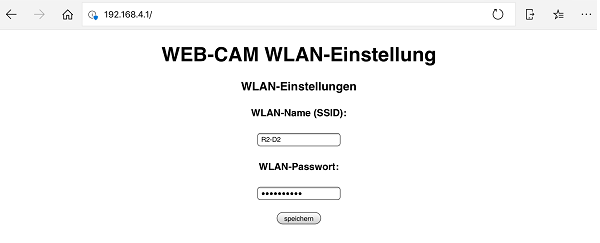
#### WEB-CAM
Mit Bewegungsmelder, WLAN-Manager und Email Benachrichtigung
[](https://wiki.oberlab.de/uploads/images/gallery/2026-06/NvhEOfQukliFmyAw-webcam1.png)
[](https://wiki.oberlab.de/uploads/images/gallery/2026-06/tcseyJmmzsXY6lwi-espwlan22.png)
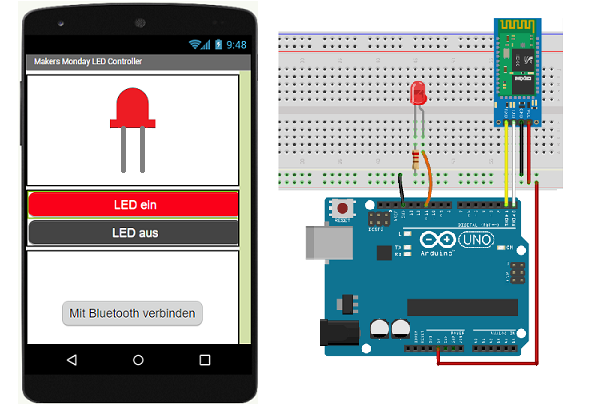
#### Handy-APP programmieren
Mit der Handy APP eine LED ein/ausschalten
[](https://wiki.oberlab.de/uploads/images/gallery/2026-06/CvFmZKwyzFuq6rDt-ledcontroller.png)
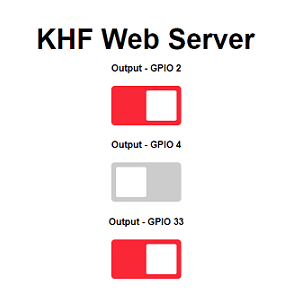
#### ESP32 WEB-Server
Schalten, Messen, Anzeigen
[](https://wiki.oberlab.de/uploads/images/gallery/2026-06/PiFWmOUJuDHgepAt-esp32-webserver3.png) [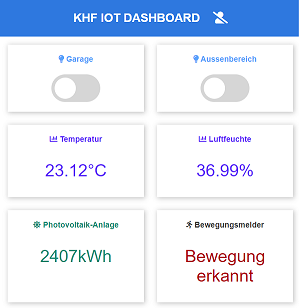](https://wiki.oberlab.de/uploads/images/gallery/2026-06/iRVyy61mNak6jL7H-esp32-dashboard.png)
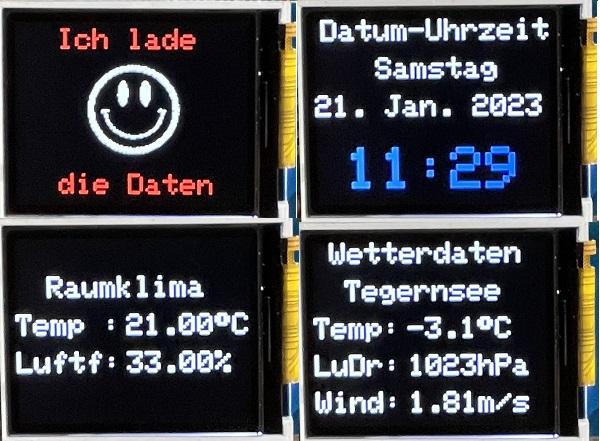
#### Wetterstation
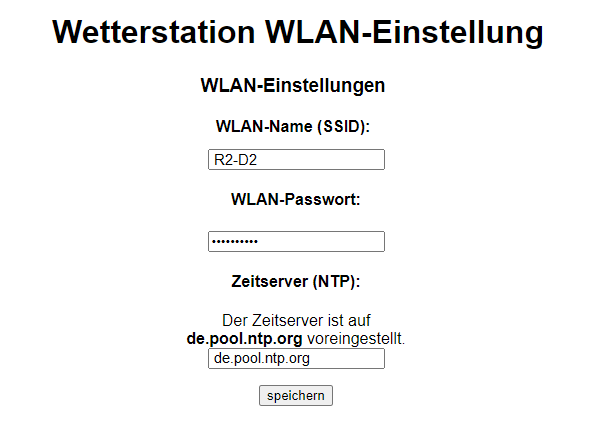
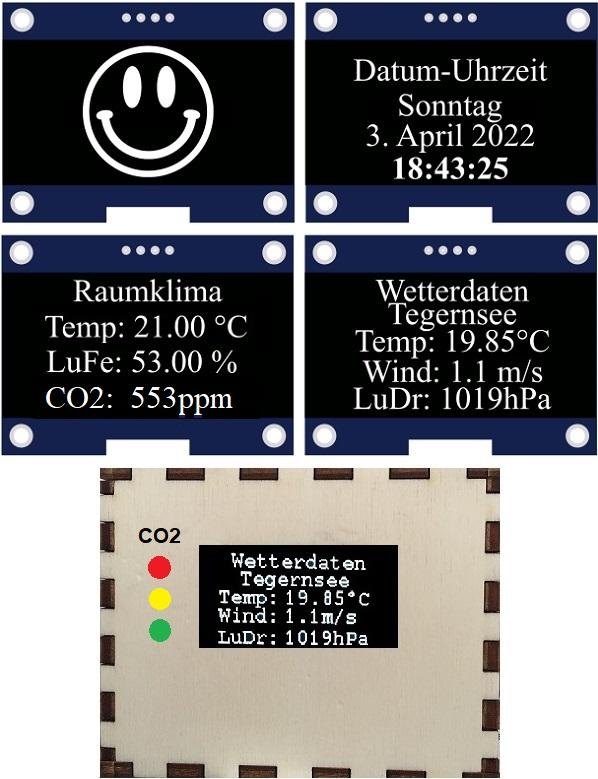
Mit WLAN-Manager, Datum Uhrzeit, DHT11 Sensorwerte, Raumklima und Internet Openweathermap-Daten vom Tegernsee
Optional mit CO2-Sensor, CO2-Wertanzeige im Display und CO2-LED-Ampel
[Wetterstation Montage Anleitung](https://wiki.oberlab.de/books/makers-monday-tutorials/page/wetterstation-montage-anleitung "Wetterstation Montage Anleitung")
[](https://wiki.oberlab.de/uploads/images/gallery/2026-06/yjPEj9cA6GbOY0gq-ws-wlaneinstellung.png)
[](https://wiki.oberlab.de/uploads/images/gallery/2026-06/ygLsuj5Izw1hQ3fw-wetterv2.jpg)
Die Wetterstation optional mit Farb-TFT-Display
[](https://wiki.oberlab.de/uploads/images/gallery/2026-06/0DB5BtVC12UbDGRW-tftwetter.jpg)
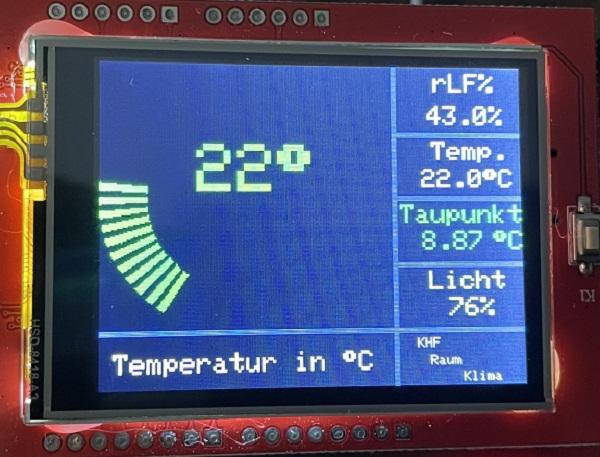
#### Raumklima-Anzeige
Mit Farb-TFT-Display, Temperatur-, Luftfeuchte-, Taupunkt- und Lichtwertanzeige.
[](https://wiki.oberlab.de/uploads/images/gallery/2026-06/2dY1y4GTjKg62TRI-raumklima-tft.jpg)
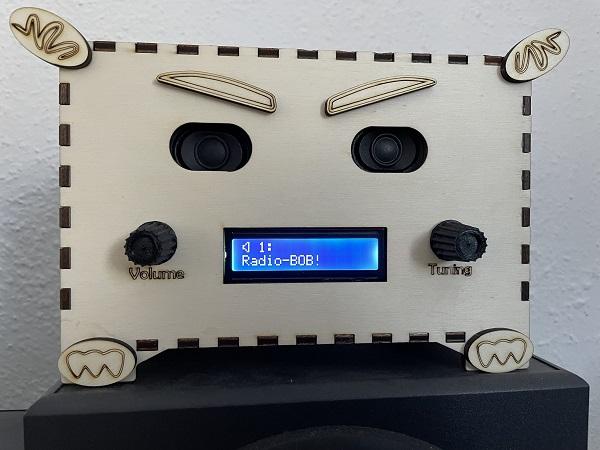
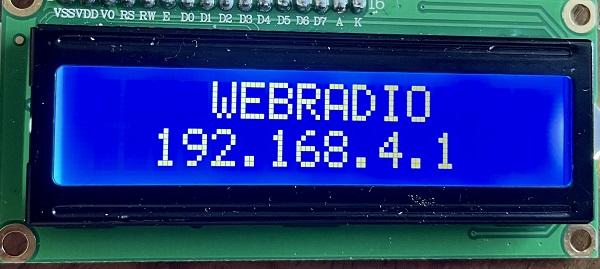
#### WEB-Radio
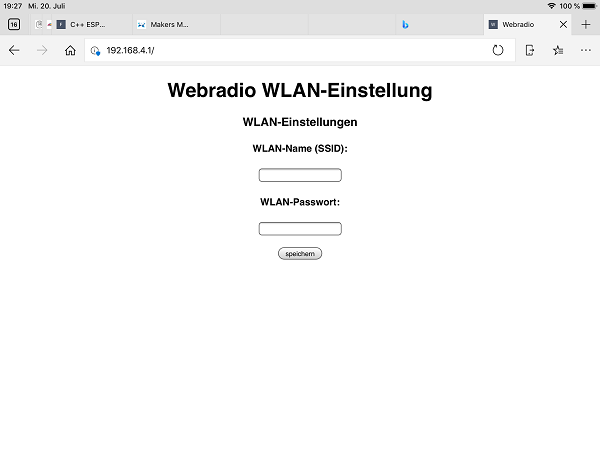
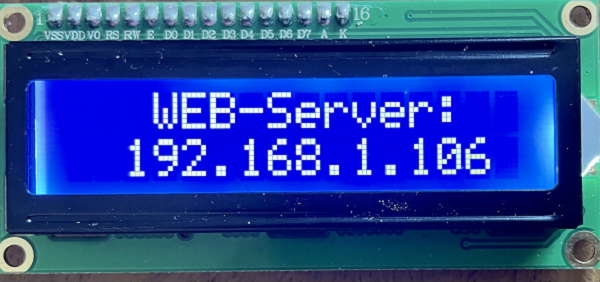
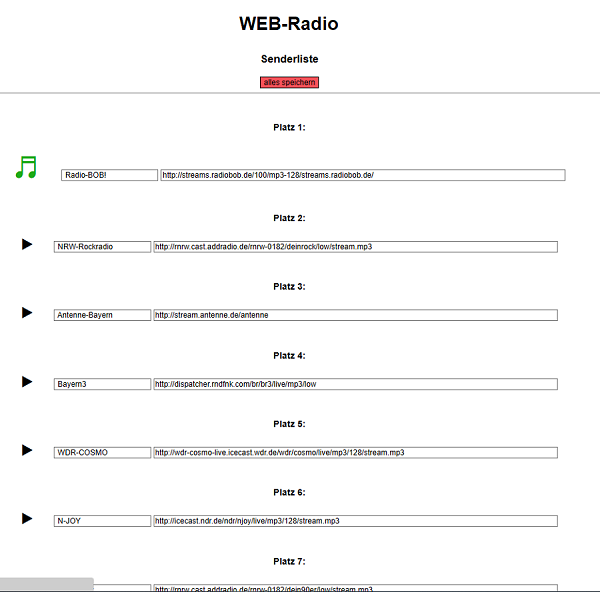
Mit WLAN-Manager, LCD-Display, WEB-Server mit Senderliste und 20 editierbaren Radio-Kanälen
[Web-Radio Anleitung](https://wiki.oberlab.de/books/makers-monday-tutorials/page/web-radio-anleitung "Web-Radio Anleitung")
[](https://wiki.oberlab.de/uploads/images/gallery/2026-06/f7xxRr25VeTzKLoi-iradio.jpg)
[](https://wiki.oberlab.de/uploads/images/gallery/2025-03/biKN5xSC3gnJidB2-webradio1.jpg)
[](https://wiki.oberlab.de/uploads/images/gallery/2026-06/ttqkCuIxux2jhmpH-webradio-ap2.png)
[](https://wiki.oberlab.de/uploads/images/gallery/2026-06/rzCpQV16SVpgCRsC-webserverwr.png)[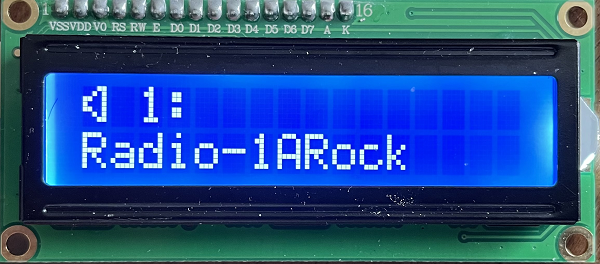](https://wiki.oberlab.de/uploads/images/gallery/2026-06/xsHRjBTi9N7i2MbS-rockradio.png)
[](https://wiki.oberlab.de/uploads/images/gallery/2026-06/h6xbcrGYcrwn0UjJ-webradio-sender-kl.png)
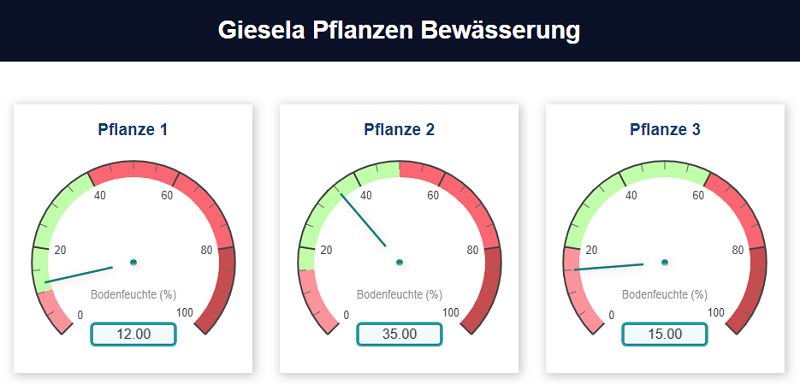
#### Giesela Pflanzen Bewässerung
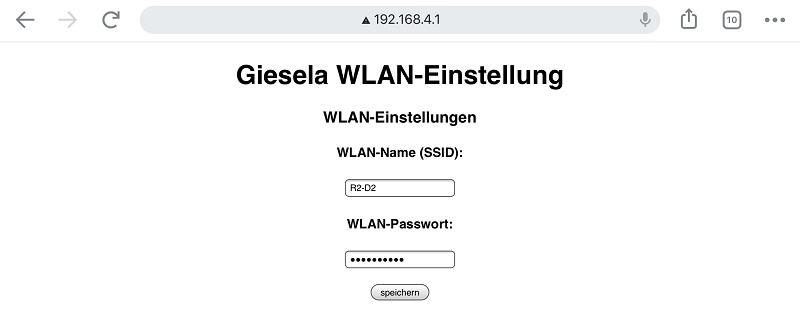
Mit WLAN-Manager, automatische Bewässerung von drei unterschiedlichen Pflanzentypen
mit Alarmmeldung bei Trockenlauf und Überfeuchtung
[Giesela Planzen Bewässerung](https://wiki.oberlab.de/books/makers-monday-tutorials/page/giesela-planzen-bewasserung "Giesela Planzen Bewässerung")
[](https://wiki.oberlab.de/uploads/images/gallery/2026-06/Rx5c1PAH912zuCaR-giesela.png)
[](https://wiki.oberlab.de/uploads/images/gallery/2026-06/F0aawldRu3jLlLsN-gieselawlan1.jpg)
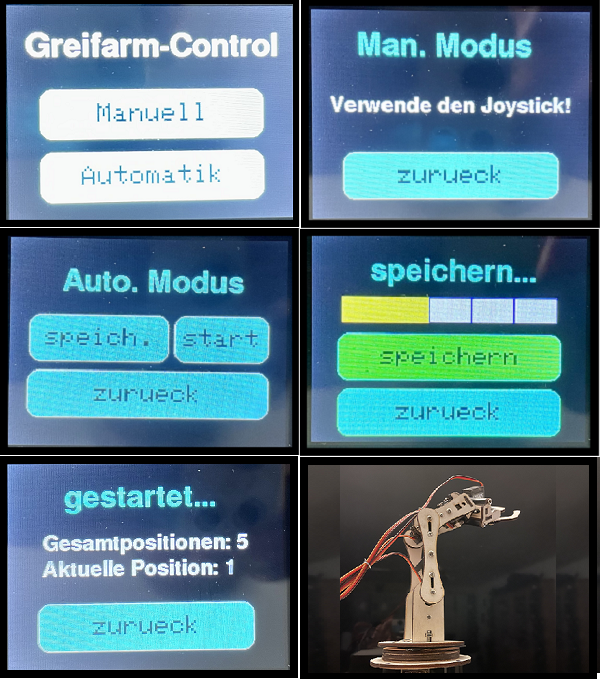
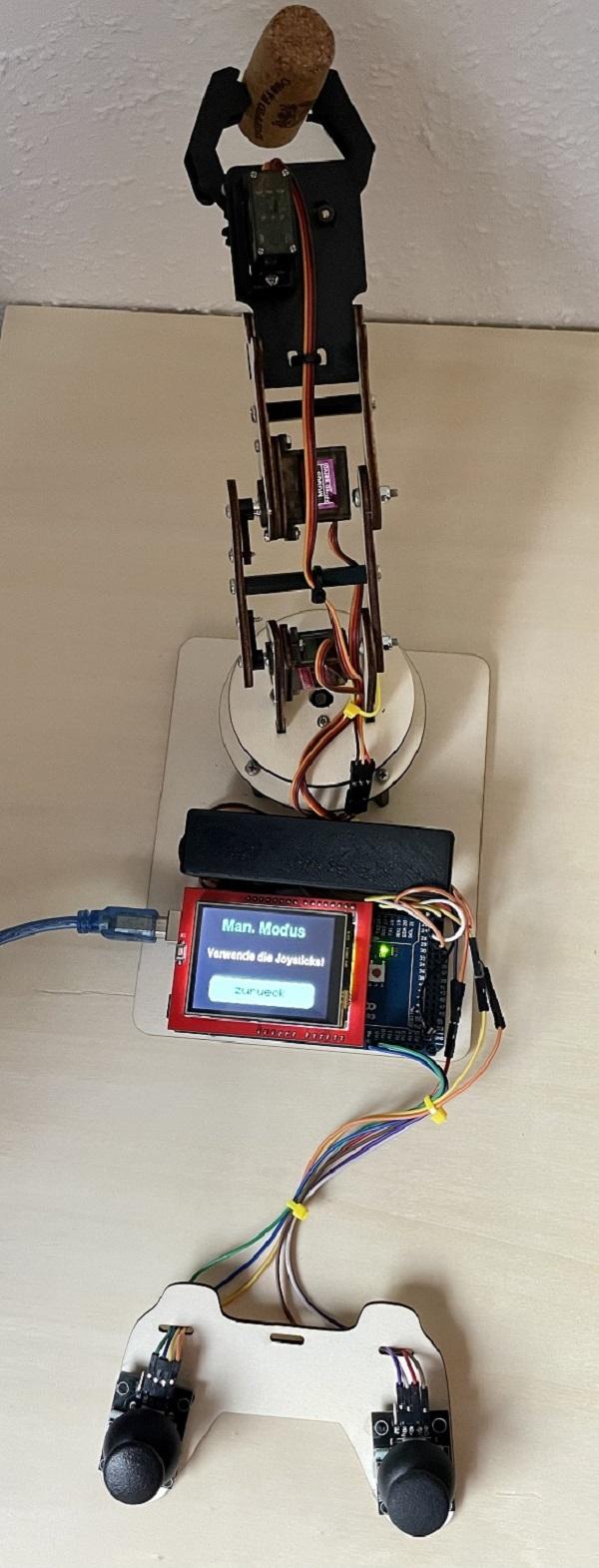
#### Greifarm-Steuerung
Mi Joystick-Steuerung, Touch-Display, Manueller- und Automaktik-Modus, fünf Positionen speichern und Play-Modus
[Roboarm Montage Anleitung](https://wiki.oberlab.de/books/makers-monday-tutorials/page/roboarm-montage-anleitung "Roboarm Montage Anleitung")
[](https://wiki.oberlab.de/uploads/images/gallery/2026-06/o1ZkHR91805QkUjx-greif-tft.png)
[](https://wiki.oberlab.de/uploads/images/gallery/2026-06/cZ1PhhNNd6CAagpM-greit-tft2.jpg)
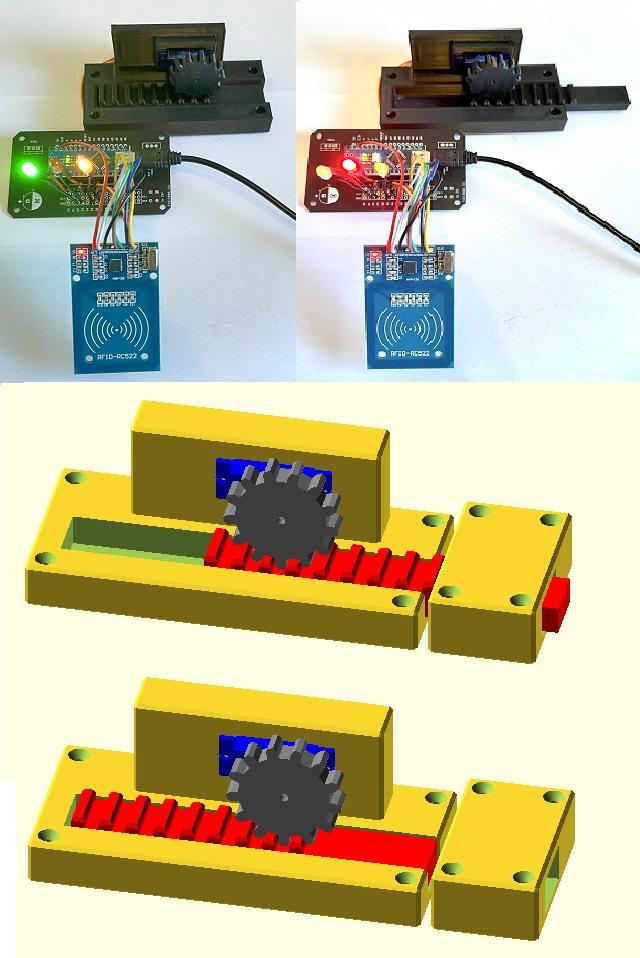
#### RFID Zugangskontolle
Zugang mit zwei RFID-Chips, Servo-Motor, Verschlusseinheit, Relais und Alarmmeldung bei unberechtigten RFID-Chips. Kombinierbar mit ESP-CAM und Email-Alarm.
[RFID Montageanleitung](https://wiki.oberlab.de/books/makers-monday-tutorials/page/rfid-montageanleitung "RFID Montageanleitung")
[](https://wiki.oberlab.de/uploads/images/gallery/2026-06/gBxKhESECOnko2Ea-rfid2.jpg)
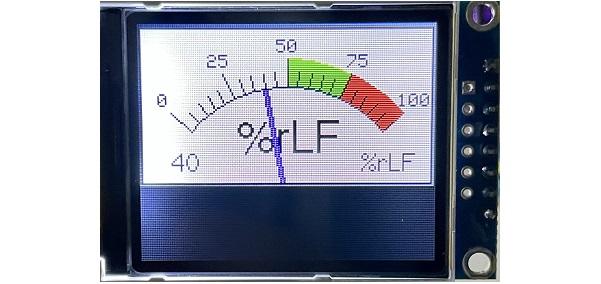
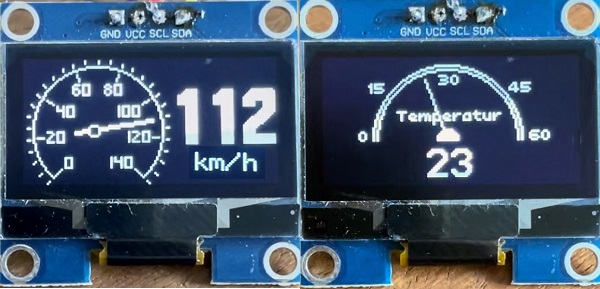
#### Analogwertanzeigen
Mit TFT-Display und OLED-Display
[](https://wiki.oberlab.de/uploads/images/gallery/2026-06/Stv4HDN4epOGJxH4-relluftfeuchte.jpg)
[](https://wiki.oberlab.de/uploads/images/gallery/2026-06/G0f29WMTUEKFWztQ-analoganzeigen.jpg)
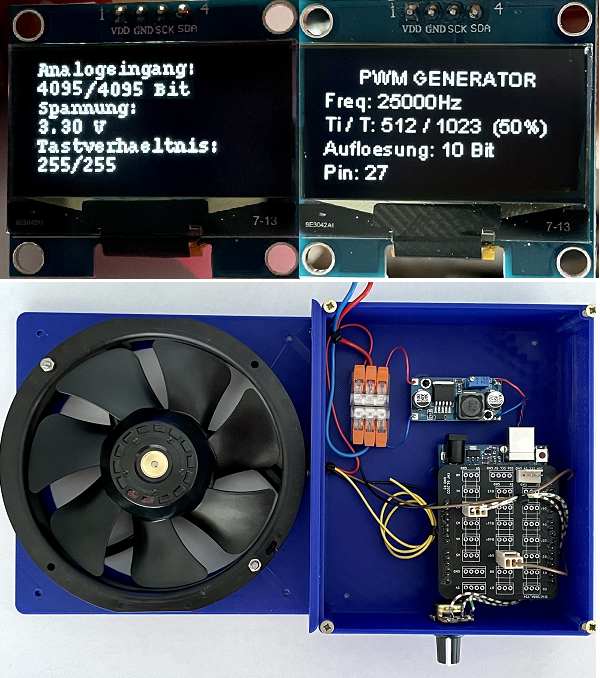
#### PWM Generator
Programmiert mittels Timer-/Counter-und Port-Registern. Konfigurierbarer PWM Generator und 25.000kHz PWM Lüfter-Steuerung für Be- und Entlüftung
[](https://wiki.oberlab.de/uploads/images/gallery/2026-06/FZnXB8GhTM2DIuJm-pwm-luefter.png)
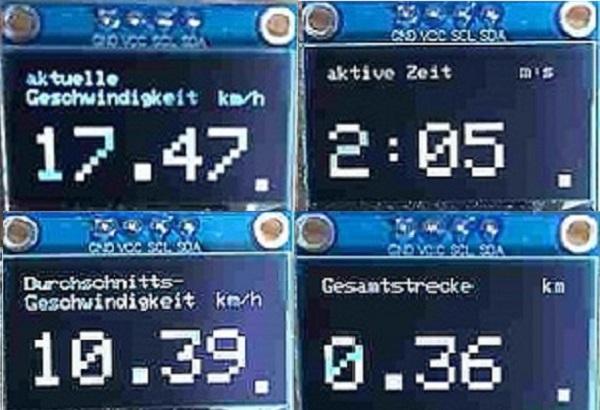
#### Fahrradcomputer
Mit OLED-Display
[](https://wiki.oberlab.de/uploads/images/gallery/2026-06/bB7x7hbFUimiRvON-bikecomp1.jpg)
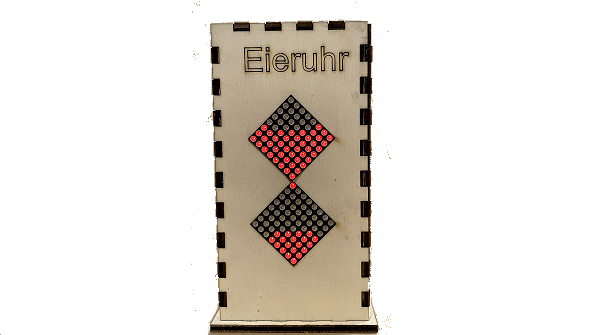
#### Eieruhr
Mit 2x 64 LED-Matrix und einstellbaren Zeiten
[](https://wiki.oberlab.de/uploads/images/gallery/2026-06/2s8xgpkiQssA7H1c-eieruhr3.png)
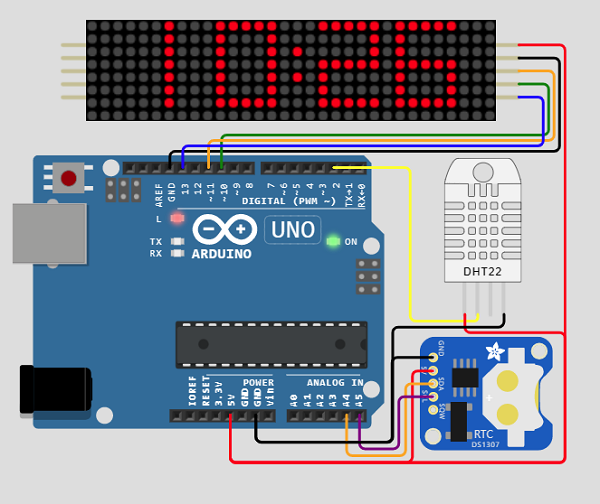
#### DS1307 RTC Echtzeit Uhr
Animierte Anzeige von Uhrzeit, Wochentag, Datum, Temperatur- und Luftfeuchte
[](https://wiki.oberlab.de/uploads/images/gallery/2026-06/Q3RymacyXGg47OLf-rtc-clock.png)
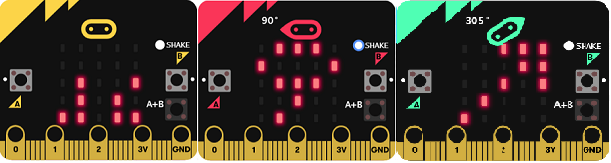
#### SmartWatch
Mit binärer und digtaler Zeitanzeige, Schrittzähler und Kompass
[](https://wiki.oberlab.de/uploads/images/gallery/2026-06/H6vvSHEvBOVknsa8-smartwatch.png)
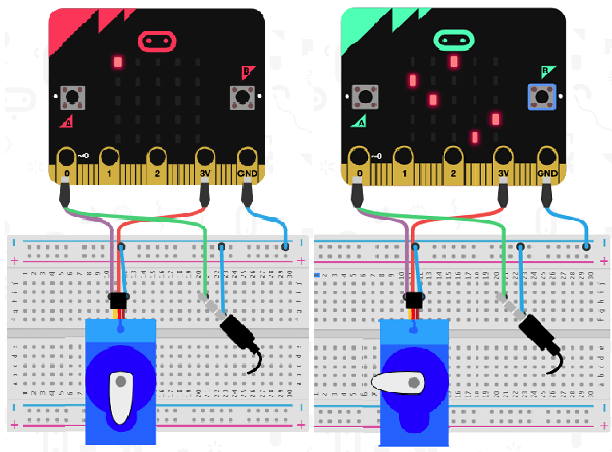
#### micro:bit
Wähle mit den Tasten A (X-Achse) und B (Y-Achse) die richtigen Matrixpunkte aus und der Servo öffnet das Codeschloss
[micro:bit Tutorial](https://wiki.oberlab.de/books/software/page/microbit-tutorial "micro:bit Tutorial")
[](https://wiki.oberlab.de/uploads/images/gallery/2026-06/RwQbV8iYw9OVjOsT-mb-codeschloss.png)
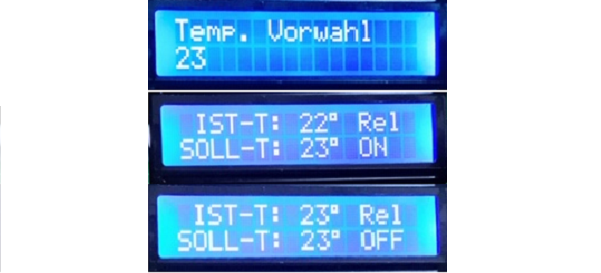
#### Temperatur-Regler
Mit Display und Vorwahlfunktion
[](https://wiki.oberlab.de/uploads/images/gallery/2026-06/HuTsOwb93mgmU4yE-t-regler.png)
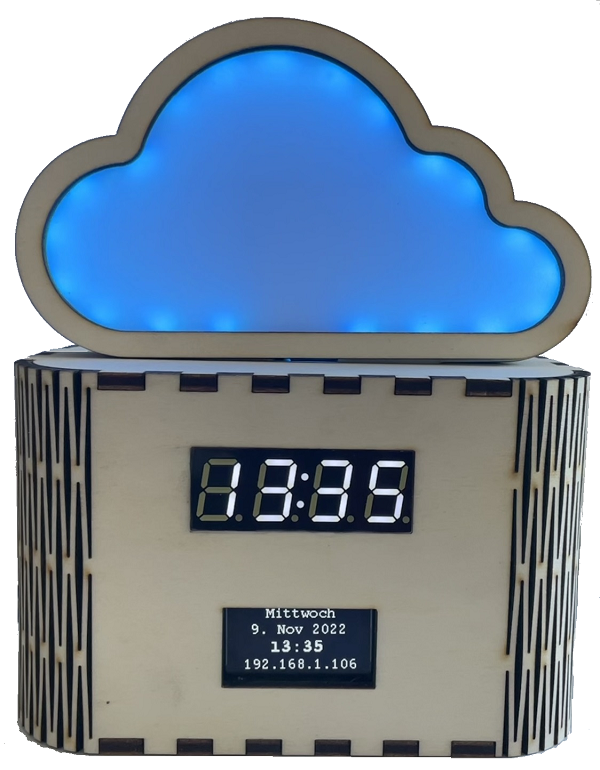
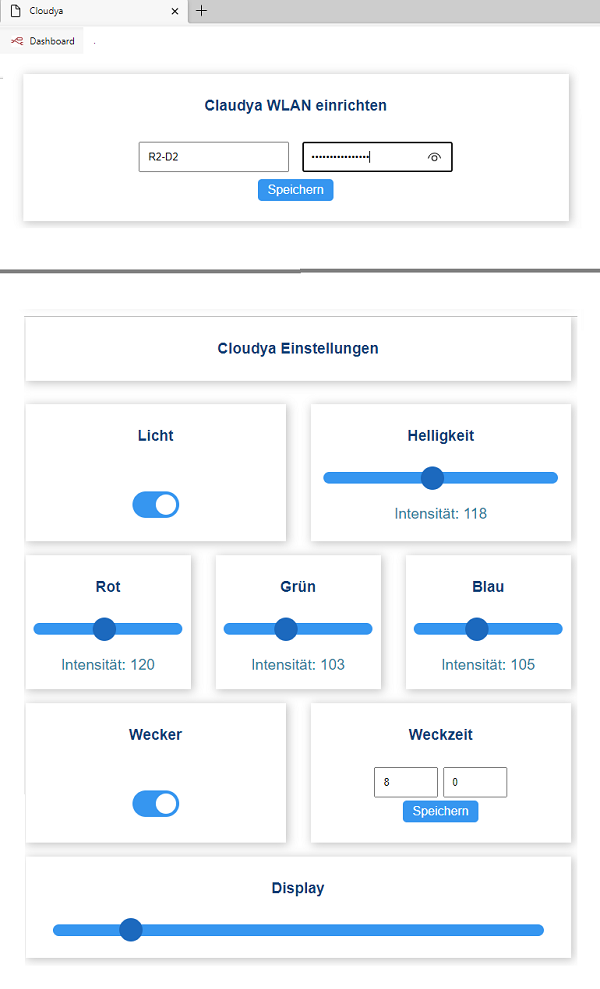
#### Internet Clock Cloudya
mit WLAN-Manager, WEB-Server, Display, OLED-Display, RGB-LEDs und Weckfunktion.
[Cloudya Montage Anleitung](https://wiki.oberlab.de/books/makers-monday-tutorials/page/cloudya-montage-anleitung "Cloudya Montage Anleitung")
[](https://wiki.oberlab.de/uploads/images/gallery/2026-06/Tf7nV9K8n9rJO3Iw-claudya4.png)
[](https://wiki.oberlab.de/uploads/images/gallery/2026-06/5MgG6dhfKHcTTMr0-claudya5.png)
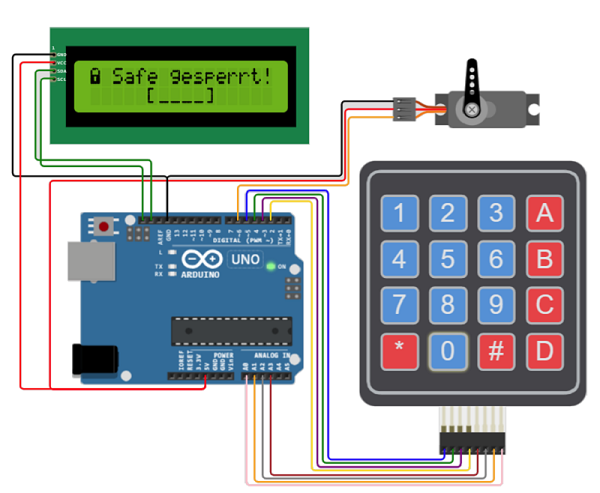
#### Safe
Mit LCD-Display, Keypad und Servo-Motor Verriegelung
[](https://wiki.oberlab.de/uploads/images/gallery/2026-06/n8jDnaJg5133ZD8j-safe2.png)
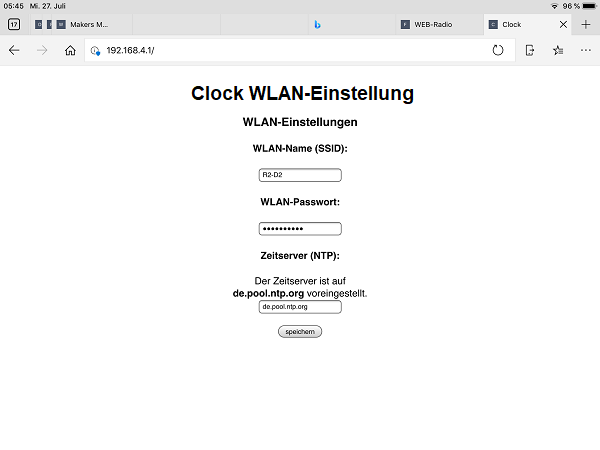
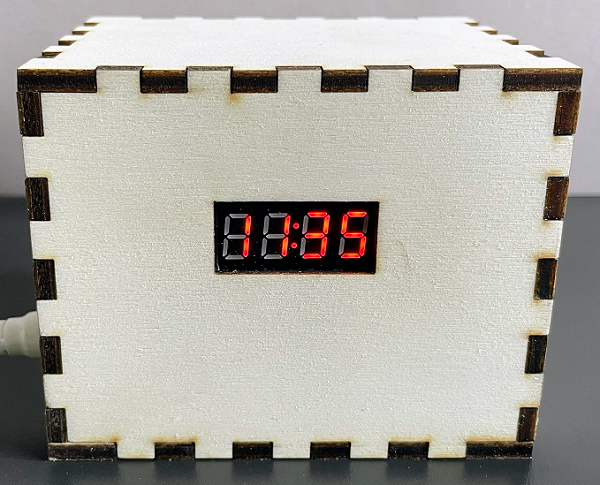
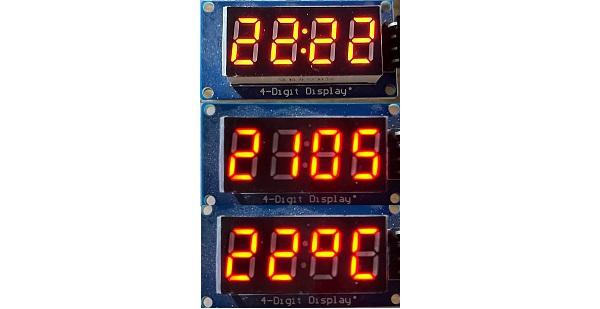
#### Digitaluhr
Mit WLAN-Manager, Datums- und Temperaturanzeige
[](https://wiki.oberlab.de/uploads/images/gallery/2026-06/bNCrZwRW90DZROGj-clocky-ap3.png)
[](https://wiki.oberlab.de/uploads/images/gallery/2026-06/pzpNpfD3o7CwPQMf-tm1632-box.png)
[](https://wiki.oberlab.de/uploads/images/gallery/2026-06/9UXkuqyGrLcdAIgN-tm3216.jpg)
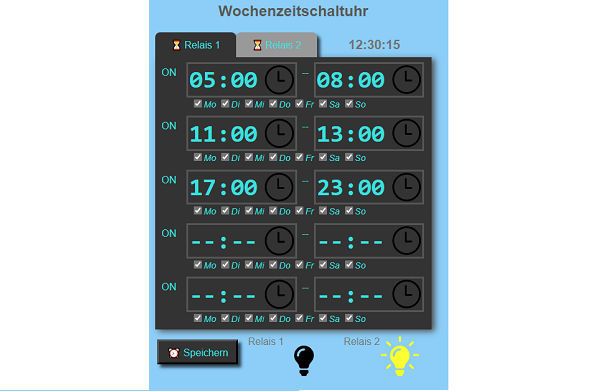
#### Web-Server Wochenzeitschaltuhr
Zwei Kanäle, zeitgesteuert und manuel schaltbar, Betriebsstundenzähler, CSV Ereignisspeicher
[](https://wiki.oberlab.de/uploads/images/gallery/2026-06/sPpJ3mcJ2HRfMrU3-wzu.png)
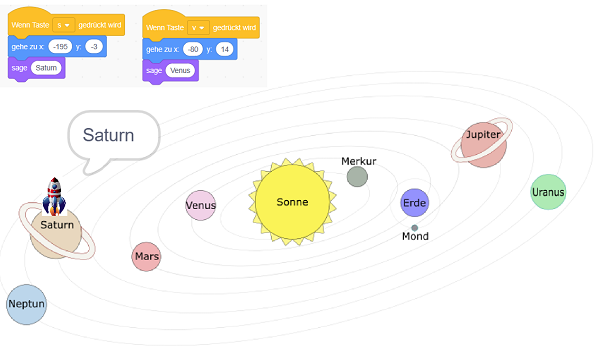
#### Fliege mit Lichtgeschwindigkeit durchs Weltall
Programmiere in Scratch deine Weltraum-Mission
[](https://wiki.oberlab.de/uploads/images/gallery/2026-06/H3QNvSb8JlG9eIzo-apollo-mission.png)